


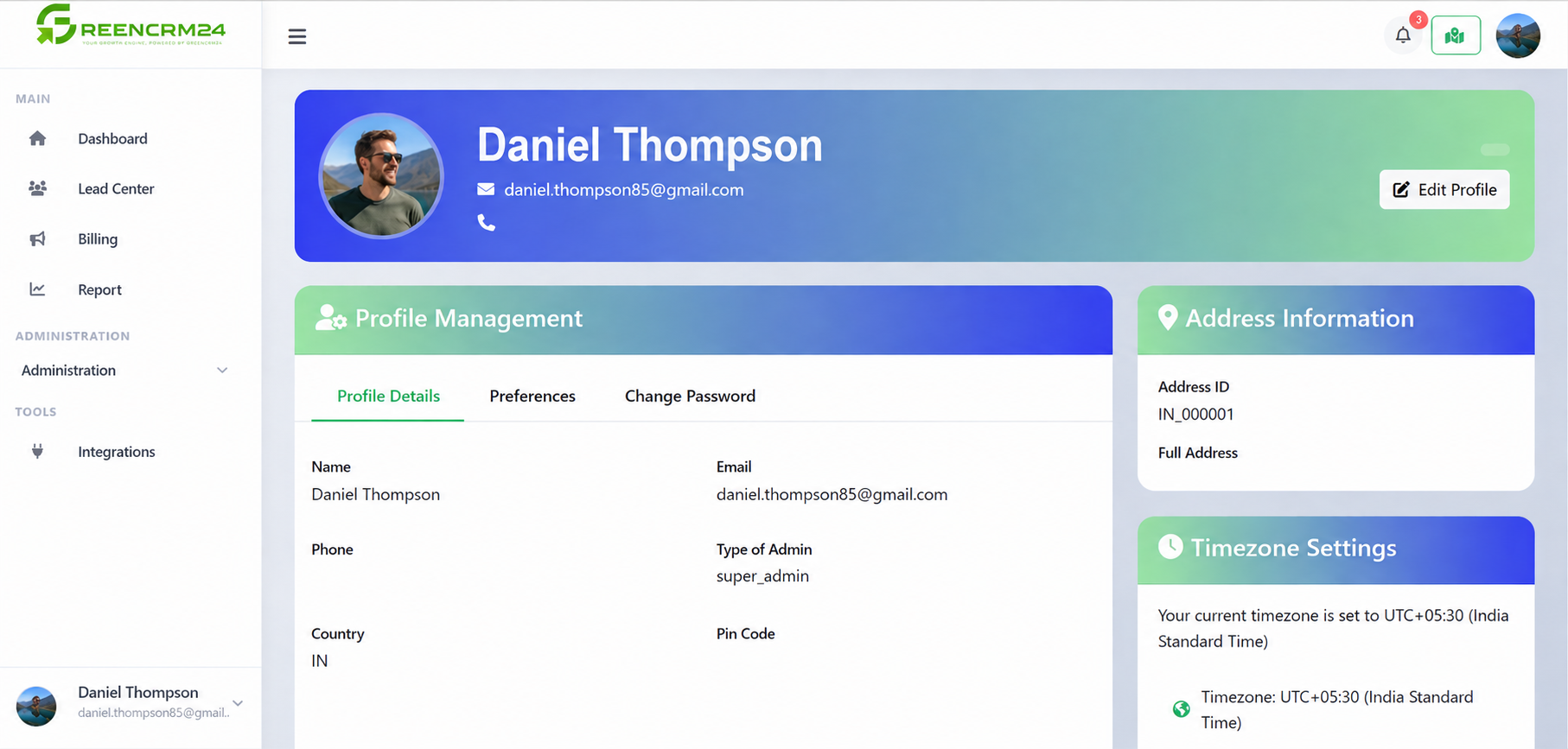
Keeping your GreenCRM24 account information up to date helps you and your team work smoothly. Your profile contains important details such as your name, email address, contact information, and other account-related settings.
Updating Your Profile
After logging in to GreenCRM24, go to your Profile or Account Settings area. From there, review your personal information and update any details that have changed.
Make sure your name, email address, and contact details are correct. Keeping this information updated can help you receive important account notifications and support communication.
Managing Your Account
Your account settings are also where you can manage important preferences related to your GreenCRM24 account. Depending on your account access, you may be able to manage security settings, integrations, notifications, and other CRM preferences.
If your team uses GreenCRM24, check your account settings regularly to make sure everything is configured correctly.
Keep Your Account Secure
Use a strong, unique password and avoid sharing your login details with other team members. If available for your account, enable additional security options such as two-factor authentication.
Quick Tip
Review your profile and account settings whenever your role, contact information, or team responsibilities change. A few minutes of maintenance can help keep your CRM organised and secure.
If you have trouble accessing or updating your account, contact the GreenCRM24 support team for assistance.
