


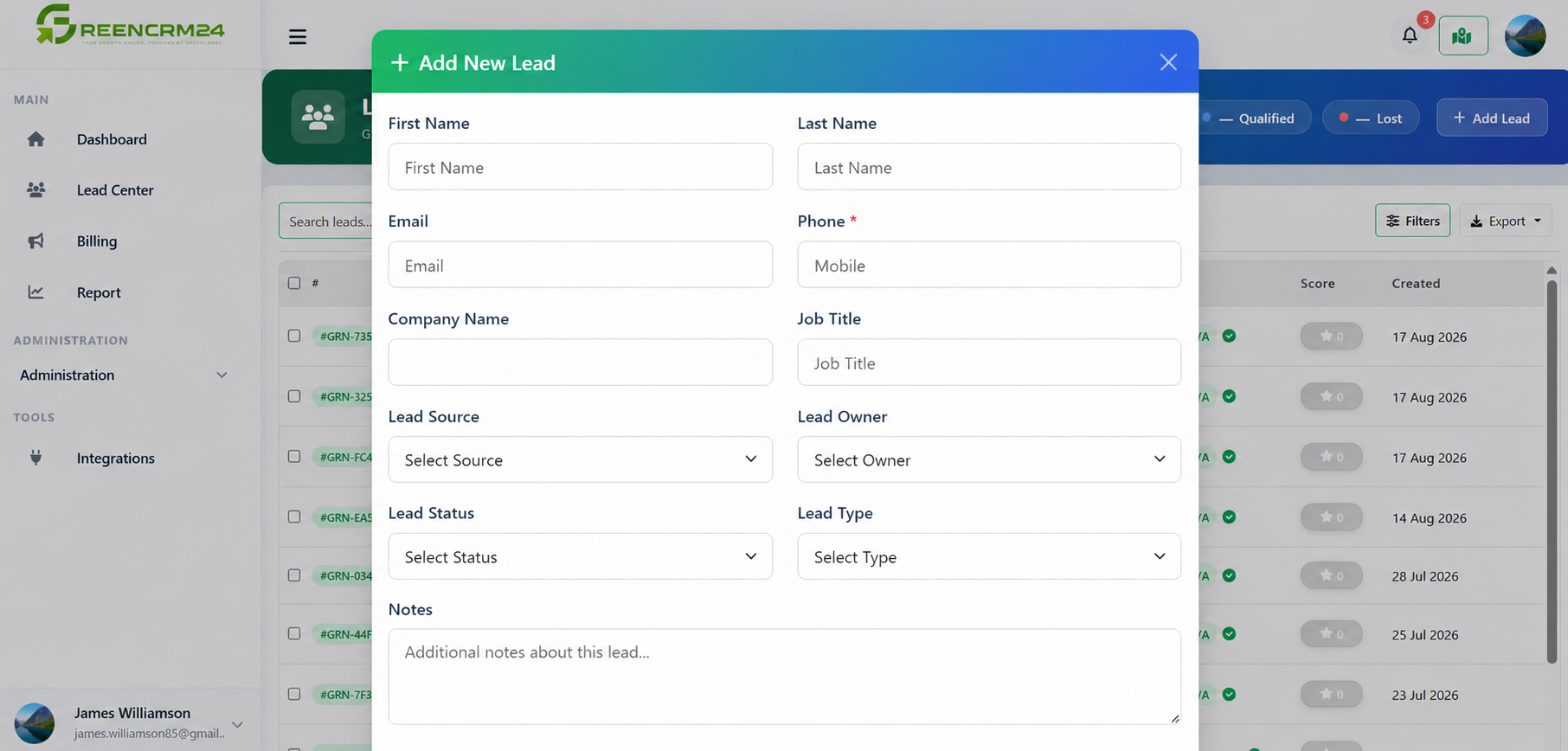
Adding a new lead to GreenCRM24 is simple. Whether you received an enquiry through a phone call, WhatsApp, referral, website, or another offline source, you can add the lead to your CRM and keep all the important information in one place.
Steps to Add a New Lead
1. Log in to GreenCRM24
Sign in to your GreenCRM24 account and open your dashboard.
2. Go to the Leads Center
Open the *Leads* area from your CRM dashboard.
3. Click “Add Lead”
Select the option to create a new lead.
4. Enter the lead details
Add the information you have, such as the lead's name, phone number, email address, company, source, and any other relevant details.
5. Add notes if needed
If you spoke with the lead or received specific requirements, add a short note. This helps your team understand the conversation later.
6. Assign the lead
If required, assign the lead to the appropriate sales agent or team member. GreenCRM24 also supports automated lead assignment methods for incoming leads.
7. Save the lead
Review the information and save the lead. The new lead will now be available in your CRM for follow-up and further management.
Keep Lead Information Updated
Adding a lead is only the first step. Make sure your team regularly updates the lead status, adds notes, and records follow-up activities. This helps prevent missed opportunities and gives everyone a clear view of the lead's progress.
Quick Tip:* Try to enter complete and accurate information when creating a lead. Good-quality data makes follow-ups easier and helps your sales team respond faster.
GreenCRM24 is designed to bring leads from different sources into one place, making it easier to manage enquiries and keep track of your sales process.
