


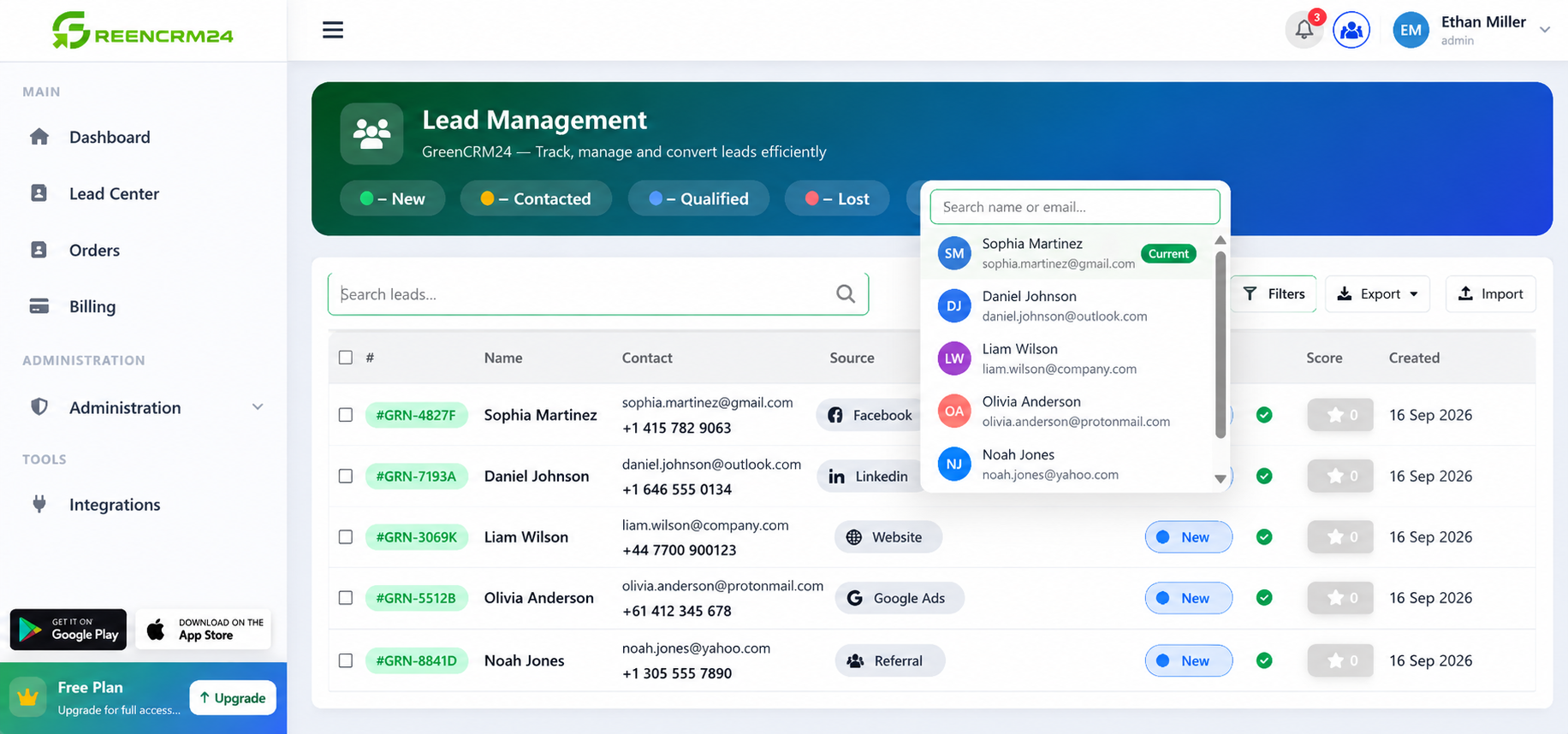
Assigning leads to the right team member is an important part of managing your sales process. GreenCRM24 makes it easy to assign leads so that every enquiry has a clear owner and no opportunity is missed.
Why Assign Leads?
When a lead is assigned to a specific user, that person becomes responsible for follow-ups, status updates, and communication with the customer. This creates accountability and ensures that every lead receives timely attention.
GreenCRM24 also provides visibility into lead ownership and team performance, helping managers track progress in real time.
Steps to Assign a Lead
1. Log in to GreenCRM24
Access your GreenCRM24 account and open the dashboard.
2. Go to the Leads Section
Navigate to the lead list where all your enquiries are stored.
3. Select the Lead
Open the lead that you want to assign to a team member.
4. Choose the Assigned User
Locate the lead ownership or assignment option and select the appropriate user from your team.
5. Save the Changes
Confirm and save the assignment. The selected user will now be responsible for managing that lead.
Automatic Lead Assignment
For teams handling a high volume of enquiries, GreenCRM24 supports automated lead assignment methods such as Manual Assignment, Round Robin, RRMEMORY, and Smart Routing Rules. These options help distribute leads fairly and ensure faster response times.
Best Practices for Lead Assignment
* Assign leads as soon as they are received.
* Match leads with users who have the right expertise.
* Regularly review lead ownership to avoid unassigned leads.
* Use automated routing rules when managing large numbers of enquiries.
* Monitor follow-up activities to ensure leads are being contacted promptly.
Quick Tip
If multiple sales agents are working on the same campaign, consider using Round Robin assignment. This distributes leads evenly among team members and helps maintain a balanced workload. GreenCRM24 includes lead assignment and routing capabilities designed for growing sales teams.
By assigning leads correctly, your team can respond faster, stay organized, and improve the chances of converting more enquiries into customers.
