



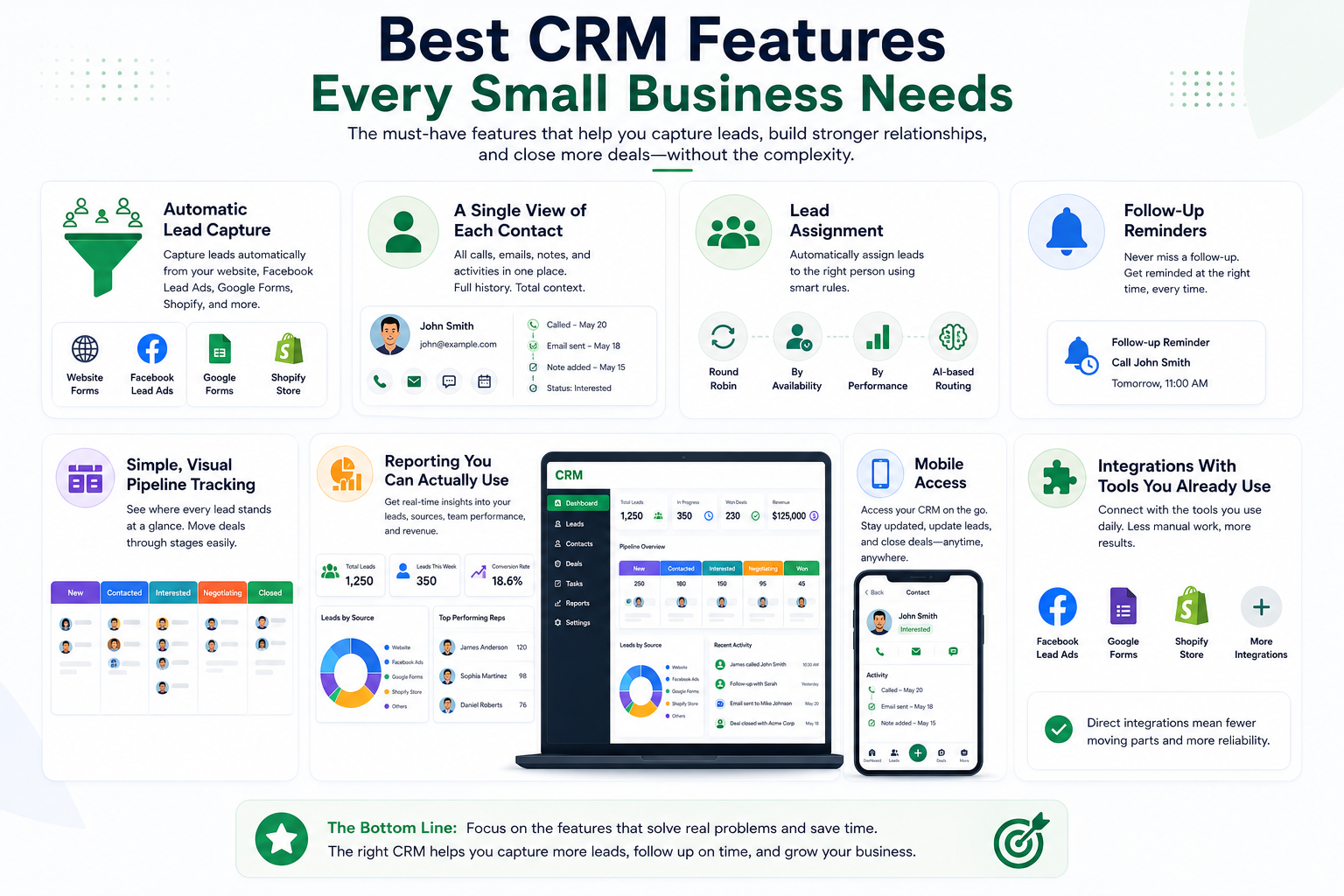
Most small businesses don’t need a CRM packed with advanced features. They need essential tools like lead capture, follow-ups, contact management, pipeline tracking, and reporting that solve everyday sales challenges and prevent missed leads and opportunities.
1. Automatic Lead Capture
This is the one feature that changes everything else. If leads from your website, Facebook Lead Ads, Google Forms, or Shopify store don't flow into your CRM on their own, you're stuck manually copying them in — and that's exactly where leads get delayed, duplicated, or missed entirely.
A good CRM should pull leads in the moment they're submitted, no matter where they came from. If you find yourself needing a separate tool just to connect your CRM to your lead sources, that's an extra cost and an extra thing that can quietly break without anyone noticing.
2. A Single View of Each Contact
Every interaction with a lead or customer — every call, email, note, and status update — should live in one place, attached to that person. Not spread across someone's inbox, a notebook, and their memory.
This matters more than people expect. When a rep is out sick, or a lead goes cold for three weeks and suddenly replies, whoever picks it up shouldn't be starting from zero. The whole point of a CRM is that the history travels with the contact, not with whichever person happened to talk to them last.
3. Lead Assignment
Someone has to own every lead — otherwise it just sits there, and everyone assumes someone else is handling it. Good lead assignment features route new leads to the right person automatically, whether that's:
- Splitting leads evenly across the team (round robin)
- Assigning based on who's available or performing best
- Using smarter, AI-based routing that considers the lead's details
Even a simple version of this — just making sure every lead has a clear owner — prevents leads from quietly falling through the cracks.
4. Follow-Up Reminders
Here's a fact worth repeating: most deals aren't lost because of price or product. They're lost because nobody followed up in time.
A CRM should actively remind reps when it's time to reach out again, instead of relying on someone remembering to scroll back through old notes. This single feature is often the difference between a CRM the team actually uses daily, and one that gets set up with excitement and then quietly ignored a month later.
5. Simple, Visual Pipeline Tracking
You should be able to glance at your leads and instantly know where things stand — new, contacted, interested, negotiating, closed. Most CRMs show this as a visual pipeline (sometimes called a Kanban board), where leads move through stages as they progress.
This doesn't need to be complicated. In fact, overly complex pipelines with a dozen custom stages tend to confuse teams more than they help. Start simple, and only add complexity once you actually need it.
6. Reporting You Can Actually Use
You don't need enterprise-grade analytics. What you do need is quick, honest answers to basic questions:
- How many leads came in this week, and from where?
- Which lead source is actually converting into customers?
- Which reps are following up on time, and which aren't?
If getting these answers means building a pivot table every time, that's time your team could be spending on actual follow-ups instead. A decent CRM should show this at a glance, without extra work.
7. Mobile Access
A lot of small business owners and sales reps aren't sitting at a desk all day. If a lead calls while you're out, or you need to check a customer's history before walking into a meeting, your CRM needs to work from your phone — not just a desktop browser.
This sounds minor until you're the person standing in a parking lot trying to remember what was discussed with a client last week.
8. Integrations With Tools You Already Use
This ties back to lead capture, but it's worth calling out on its own. Your CRM shouldn't exist in isolation — it should connect to your website forms, ad platforms, and e-commerce store without needing a chain of third-party tools stitched together just to make things talk to each other.
This is actually one of the more practical differences between CRMs. GreenCRM24, for example, connects directly to Facebook Lead Ads, Google Forms, and Shopify — so leads flow in automatically without needing Zapier as a middleman. Fewer moving parts means fewer things that can quietly stop working without anyone noticing.
What You Probably Don't Need Yet
It's worth saying the opposite too. Features like advanced forecasting, deep AI scoring models, or complex multi-team workflow automation sound impressive, but for a small business just getting organized, they're often unnecessary weight. They add complexity before you've even solved the basics.
The smarter approach: get the fundamentals working well — capture, assignment, follow-ups, visibility — and add advanced features later, once you actually feel the need for them.
The Bottom Line
You don't need the CRM with the longest feature list. You need one that solves the problems actually costing you sales right now — leads slipping through the cracks, follow-ups being missed, and nobody having a clear view of what's happening with each contact.
Start with the basics. If a CRM nails automatic lead capture, clear ownership, follow-up reminders, and simple reporting, it's already doing 90% of what most small businesses actually need — everything else is just a bonus.
