



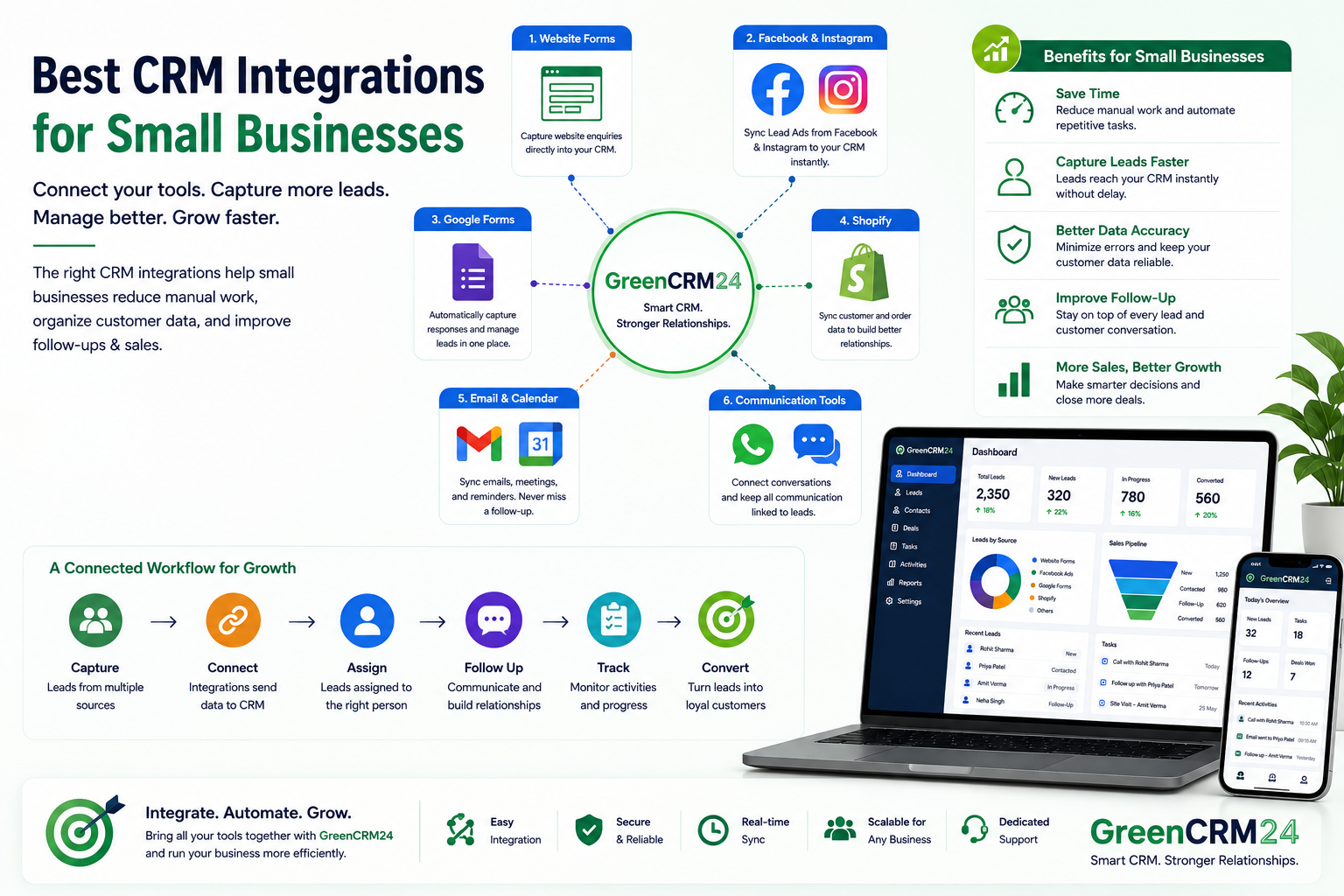
Small businesses often use different tools for marketing, lead generation, communication, and sales. The challenge is keeping customer information connected across all these platforms. The right CRM integrations can reduce manual work, improve lead management, and help a small team stay organized. CRM integration is generally about connecting your tools so customer data can move between systems and provide a more unified view.
Which CRM Integrations Are Most Useful?
1. Website & Lead Form Integration
Connecting website forms with your CRM can automatically bring new enquiries into the sales pipeline.
Website Form → CRM → Lead Assignment → Follow-Up
This is one of the most important integrations for businesses that depend on online enquiries.
2. Facebook & Instagram Lead Integration
Businesses running Meta Lead Ads can connect their lead generation with CRM workflows.
This helps sales teams receive and manage advertising leads instead of relying on manual downloads or spreadsheets.
3. Google Forms Integration
Google Forms can be useful for collecting enquiries, registrations, and customer information.
Connecting form responses with a CRM can help businesses organize those enquiries and assign them to the right salesperson.
4. Shopify Integration
For eCommerce businesses, Shopify CRM integration can connect customer and order information with sales and customer-management activities.
Shopify notes that CRM integrations can bring customer, order, and other commerce data together for a more unified customer view.
5. Email & Calendar Integration
Email and calendar integration can help sales teams keep customer communication, meetings, reminders, and follow-ups organized in one workflow.
For a small team, this can reduce the need to switch between multiple applications.
6. Communication Integration
Connecting communication tools with a CRM can help teams keep customer conversations and follow-up activities connected to the relevant customer or lead.
This becomes particularly useful when several team members handle the same customers.
How to Choose the Right CRM Integrations
Small businesses don't need to connect every available application.
Start with the tools that are directly connected to your sales process:
Lead Generation → CRM → Assignment → Communication → Follow-Up → Conversion
Choose integrations that:
- Reduce repetitive work
- Capture leads quickly
- Keep customer data organized
- Improve follow-up
- Are easy for your team to use
- Can scale as your business grows
Native integrations are often a good starting point because they can be simpler to set up and maintain than more complex custom connections.
Best CRM Integrations by Business Need
| Business Need | Useful Integration |
|---|---|
| Website enquiries | Website Forms + CRM |
| Facebook advertising | Facebook Lead Ads + CRM |
| Online forms | Google Forms + CRM |
| eCommerce | Shopify + CRM |
| Customer communication | Email/Communication + CRM |
| Meetings & reminders | Calendar + CRM |
GreenCRM24 and CRM Integrations
For small businesses, the goal of CRM integration is simple: bring lead sources and sales activities together in one organized workflow.
GreenCRM24 helps businesses manage leads, assignments, follow-ups, customers, and sales activities from a centralized CRM platform.
Instead of managing leads across separate spreadsheets and applications, businesses can create a connected process:
Capture → Connect → Assign → Follow Up → Track → Convert
Conclusion
The best CRM integrations for small businesses are not necessarily the ones with the most features. They are the integrations that solve real business problems and reduce unnecessary manual work.
Start with your most important lead sources and communication tools, then add integrations as your business grows.
