



At some point, almost every small business has this exact conversation: "Do we really need a CRM, or can we just keep using Excel?" It's a fair question. Excel is free (or close to it), everyone already knows how to use it, and honestly, it can hold a surprising amount of data before it falls apart. So why do businesses eventually move away from it? Let's actually compare the two honestly, instead of just saying "CRM good, spreadsheet bad."
Why Excel Works... For a While
Excel isn't a bad tool. It's a spreadsheet — flexible, familiar, and cheap. For a business with a handful of leads a week and one person handling sales, it can genuinely do the job. You add a row, type in a name and number, maybe color-code it if you're feeling fancy, and move on.
The problem isn't Excel itself. The problem is what happens as the business grows.
Where Excel Starts to Break Down
Leads don't enter Excel on their own. If someone fills out a form on your website, or clicks a Facebook Lead Ad, that information doesn't magically appear in your spreadsheet. Someone has to manually copy it over — and manual steps are exactly where leads get missed, delayed, or forgotten.
There's no real follow-up system. Excel can hold a "Next Follow-Up Date" column, sure. But it won't remind anyone to actually call. It just sits there quietly until someone happens to scroll past that row.
Multiple people editing the same file is a mess. Two salespeople working off the same spreadsheet almost always leads to duplicate outreach, overwritten notes, or someone accidentally deleting a row they shouldn't have.
There's no real history. Spreadsheets show you the current state of a lead — a name, a status, maybe a note. What they don't show you is the full story: every call, every reply, every interaction over time. That context tends to live in someone's memory, or nowhere at all.
Reporting means manual work. Want to know how many leads came from Facebook this month versus your website? In Excel, that means filtering, formulas, maybe a pivot table if someone on the team actually knows how to build one. In a CRM, it's usually just a dashboard you glance at.
None of this makes Excel "bad." It just means Excel was never built to manage relationships — it was built to organize data. And leads aren't just data. They're people, at different stages, needing different things at different times.
Where a CRM Actually Pulls Ahead
A CRM is purpose-built for exactly the things Excel struggles with:
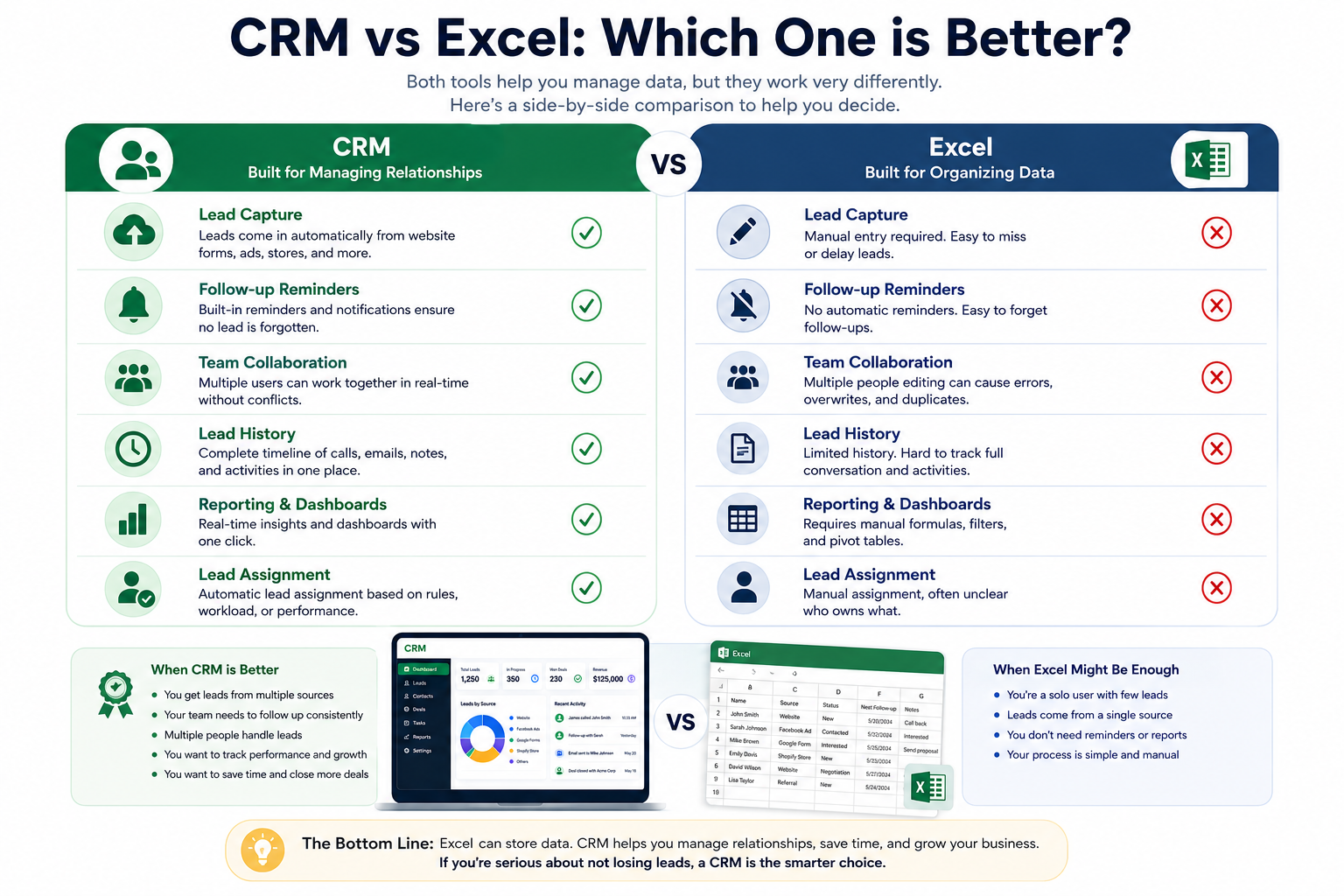
| Excel | CRM | |
|---|---|---|
| Lead capture | Manual entry | Automatic, from forms, ads, stores |
| Follow-up reminders | None (unless self-managed) | Built-in reminders and scheduling |
| Team collaboration | Prone to conflicts and overwrites | Built for multiple users at once |
| Lead history | Limited, easy to lose | Full activity log per contact |
| Reporting | Manual formulas/pivot tables | Real-time dashboards |
| Lead assignment | Manual, often unclear who owns what | Automatic assignment rules |
The short version: Excel tells you what you typed in. A CRM tells you what's actually happening with each lead, in real time, without anyone having to manually update it.
So When Should You Actually Switch?
Not every business needs a CRM on day one. If you're a solo founder handling five or ten leads a week, Excel — or even a notebook — might genuinely be enough for now.
But there are some clear signs it's time to move on:
- You're getting leads from more than one source (website, Facebook, Shopify, etc.) and manually copying them into a sheet
- Follow-ups are being missed because nobody remembered to check the spreadsheet
- More than one person is working leads, and there's confusion about who's talking to whom
- You have no real way to tell which lead source is actually converting
- Your spreadsheet has grown into a tangled mess of tabs, colors, and half-remembered conventions only you understand
If two or three of those sound familiar, it's usually a sign the spreadsheet has quietly become a bottleneck.
What About the Cost Argument?
This is the part that holds a lot of small businesses back — the assumption that a CRM means a big monthly bill. That used to be more true. These days, plenty of CRMs offer genuinely usable free plans, which makes the "Excel is free" argument a lot weaker than it used to be.
The Honest Answer
There isn't a universal "better" here — it depends on where your business actually is. Excel is fine for a business that's small, simple, and handled by one person who doesn't mind a bit of manual upkeep. A CRM starts to matter the moment leads come from more than one place, more than one person is involved, or missed follow-ups are actually costing you sales.
The real question isn't "CRM vs Excel" in the abstract. It's: how much time is your team currently spending on manual data entry and missed follow-ups — and is that time worth more than the switch would cost?
For most growing businesses, the answer becomes obvious pretty quickly.
