


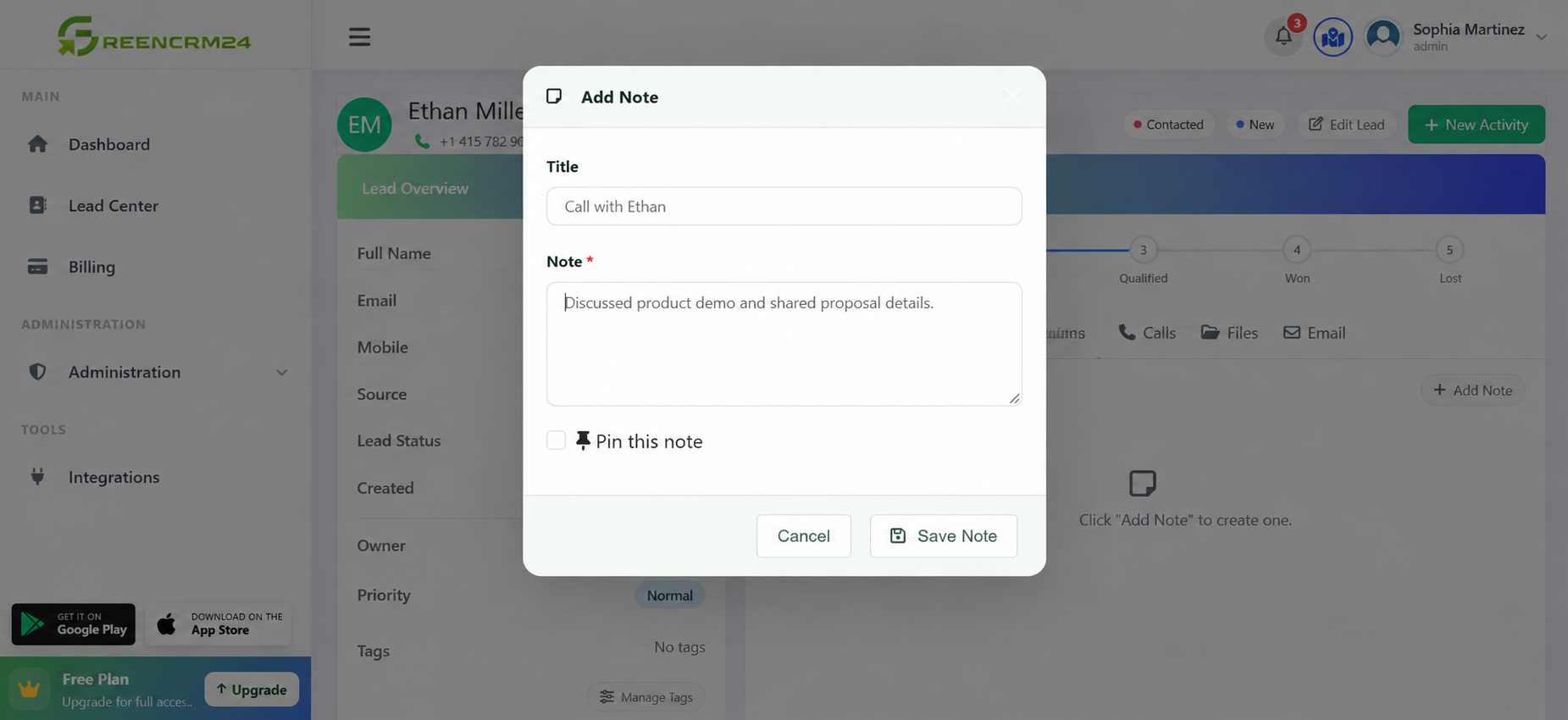
Adding notes to a lead is a simple way to keep track of conversations, customer requirements, follow-up details, and important updates. Instead of relying on memory or separate notebooks, your team can keep useful information with the lead inside GreenCRM24. GreenCRM24 allows agents to update lead information, add notes, and manage follow-ups from the CRM.
Steps to Add a Note to a Lead
1. Log in to GreenCRM24
Sign in to your account and open your dashboard.
2. Go to the Leads section
Open the *Leads* section to view your available leads.
3. Select the lead
Find the lead you want to update and open the lead details.
4. Add your note
Look for the notes or activity area and enter the information you want your team to remember.
For example, you could add:
Details from your latest phone call
Customer requirements
Product or service preferences
Follow-up information
Any important conversation points
5. Save the note
Review the information and save your changes so the note remains available with the lead.
Why Are Lead Notes Useful?
Good notes help your team understand what has already happened with a lead. If another team member needs to handle the next follow-up, they can quickly check the previous information instead of asking the customer to repeat everything.
For example, instead of writing “Called customer”, a more useful note would be: “Customer is interested in the premium plan and asked for a call on Friday afternoon.”
Quick Tip
Try to add notes immediately after a call or customer interaction. Keep them short, clear, and focused on information that will be useful for the next follow-up.
*Remember:* A well-maintained lead record makes teamwork easier and helps your sales team provide a smoother customer experience. GreenCRM24 is designed to keep lead information, notes, ownership, status, and follow-up activity organised in one place.
