


5 min read
Aug 19, 2026
GreenCRM24 makes it easy to remove leads that are duplicate, outdated, incorrect, or no longer required. Follow the steps below to delete a lead.
How to Delete a Lead
- Log in to your GreenCRM24 account.
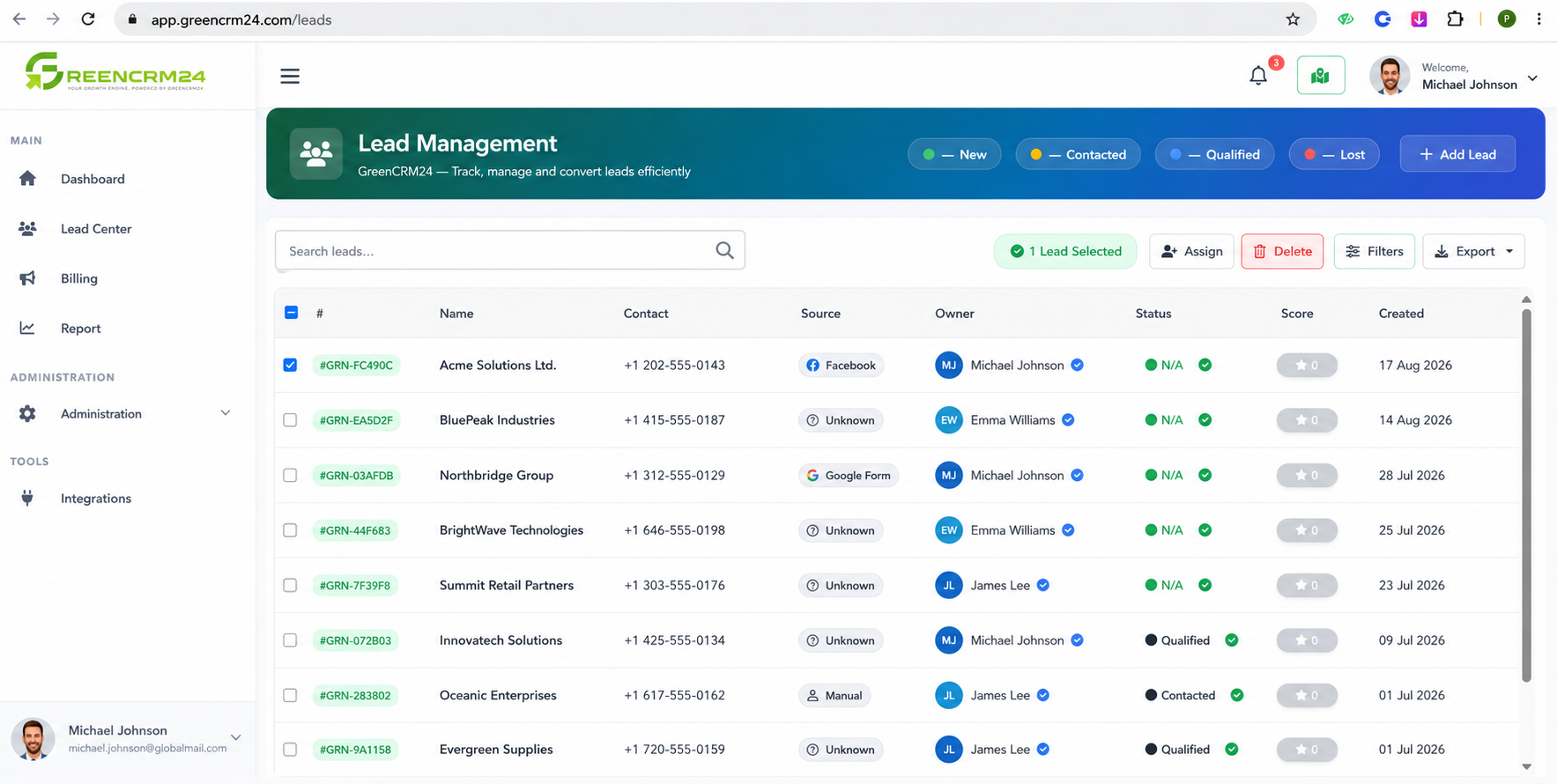
- Go to Lead Center from the dashboard.
- Find the lead you want to delete.
- Click the checkbox next to the lead to select it.
- After selecting the lead, look at the toolbar above the lead list.
- Click the Delete option.
- Confirm the deletion if prompted.
Can a Deleted Lead Be Restored?
Currently, GreenCRM24 does not provide a Restore or Undo option for deleted leads. This is intentionally designed as a data-security measure to help protect customer and business information from unauthorized recovery or access.
Important: Before deleting a lead, carefully verify that you have selected the correct record. Once deleted, the lead cannot be restored through GreenCRM24.
