


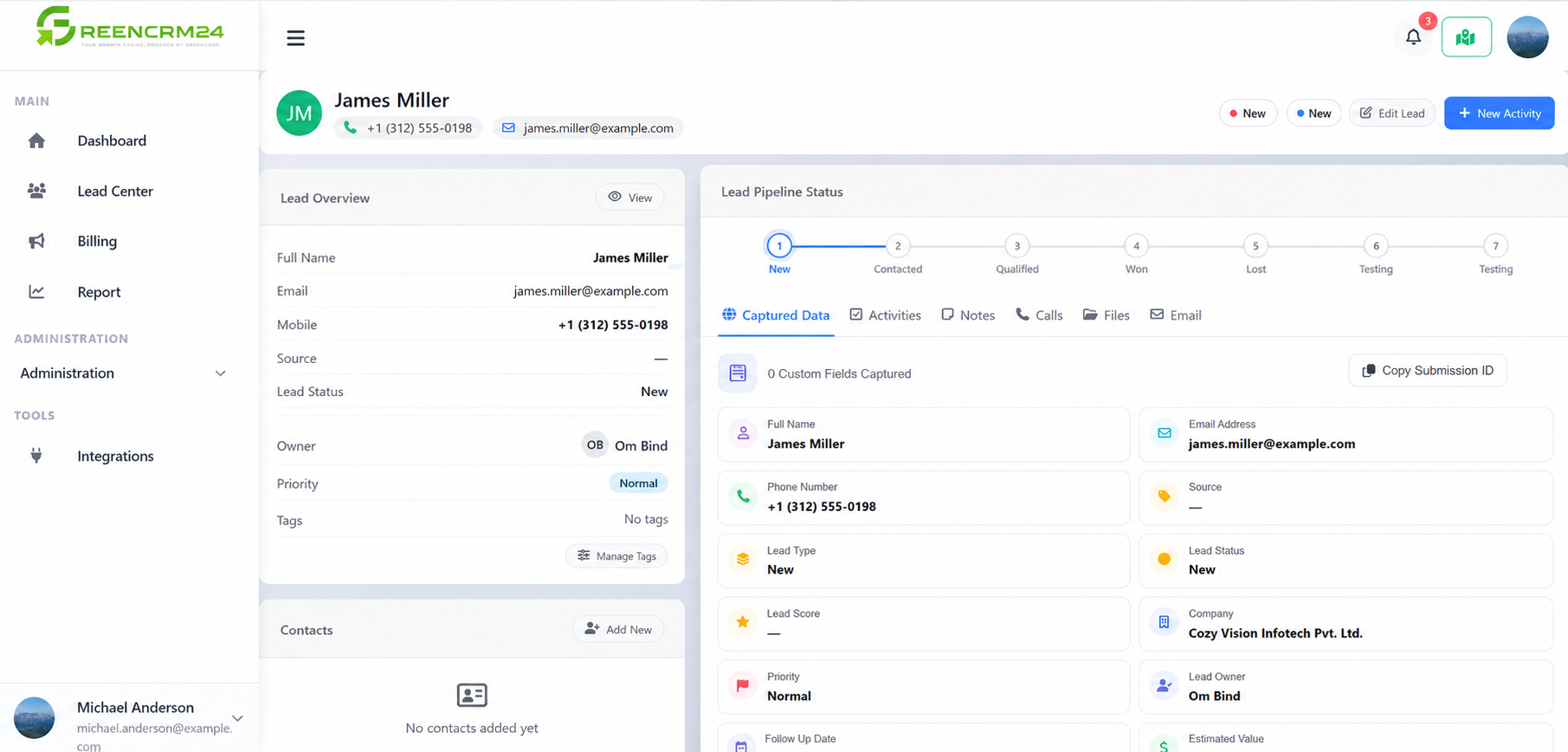
GreenCRM24 helps you manage every lead from the moment it is captured until it moves forward in your sales process. Once a lead is generated, you can open the lead from Lead Center and manage all related information in one place.
1. Captured Data
Review the lead details and verify the available customer information.
2. Activities
Create and track activities such as follow-ups, meetings, tasks, or other actions required for the lead.
3. Notes
Add important notes about customer requirements, conversations, or other information that your team should remember.
4. Calls
Record and manage call-related information to keep track of communication with the lead.
5. Files
Upload and manage relevant documents, quotations, brochures, or other files related to the lead.
6. Email
Send and manage email communication with the lead to maintain a clear record of your interactions.
By keeping Captured Data, Activities, Notes, Calls, Files, and Email updated, your team can manage leads efficiently and move them smoothly through the sales pipeline.
